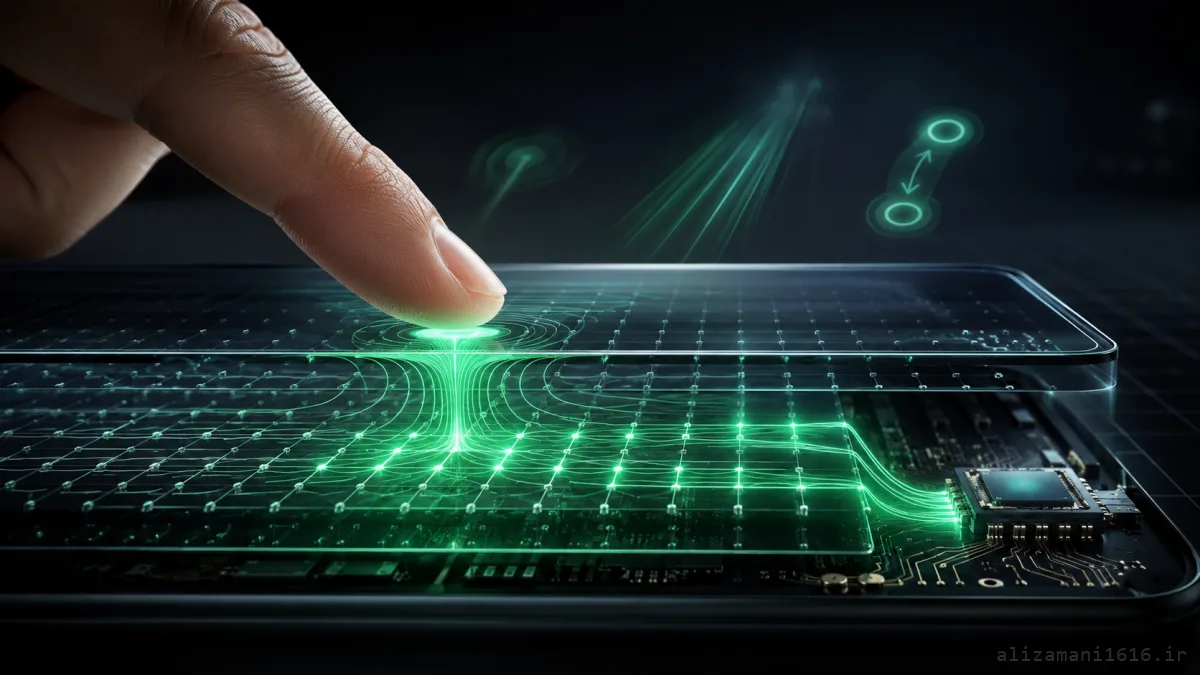
# What's Behind the Glass?
When we look at a phone screen, all we see is a smooth glass surface. But that glass is only a small part of the touch system. Underneath it sit several extremely thin layers built specifically to detect touch. In today's phones, the most common technology is Capacitive Touch.
The idea rests on one simple electrical property:
Adding a human finger can change the capacitance of an area.
To understand exactly what that sentence means, we first need to get a little familiar with capacitors.
# What Is a Capacitor?
Simply put, a capacitor is two conductive regions with an electric field between them. The capacitance doesn't depend only on those two conductors — the surrounding environment affects it too.
That's why bringing a conductive object near a capacitive structure slightly changes its electrical conditions. The human finger falls into exactly this category. So we can summarize the whole idea like this:
Touch detection chain
Screen electrodes
Electric field
Finger approaches
Capacitance change
Measure the change
Of course, the phone isn't supposed to just say "something touched the screen." The more important question is: which part of the screen changed?
# The Screen Is a Large Grid of Sensors
To find the finger's position, the touch surface can be imagined as a grid. Hover over the cells to see how a finger affects neighboring areas:
touch_grid.exe
X0
X1
X2
X3
X4
X=-- , Y=--
▲ move your finger across the grid
In real hardware this structure is far more delicate, and electrodes are built in various shapes and layouts — but the core concept is the same. Every part of this grid has a specific electrical behavior. When a finger rests on an area, its effect is strongest in that region, and the touch controller can compute the contact position from those changes.
# The Phone Doesn't Measure the Finger Itself
This part matters: if an object is placed on the screen, the system doesn't see its image or shape. What gets measured is its electrical effect on the sensor grid.
Suppose that before the touch, an area had a value like this:
sensor_readings.log
# before touch
Capacity = 10.0
# after the finger lands
Capacity = 10.7
The difference may be tiny, but it's detectable for the measurement circuit. So:
Before touch → baseline value | After touch → changed value. And that difference is exactly what helps detect the touch.
# But How Are X and Y Coordinates Computed?
A touch point isn't just a single simple change. When a finger lands on the screen, several neighboring areas may be affected — for example:
delta_map.txt
0.1 0.2 0.3 0.2 0.1
0.2 0.5 0.8 0.5 0.2
0.1 0.3 0.6 0.3 0.1
0.0 0.1 0.2 0.1 0.0
Here the biggest change appears at the center. By analyzing this pattern, the controller can locate the approximate contact point. So a touch screen isn't looking for a simple on/off — it works with a field of measurements.
# This Happens Constantly
When you hold your finger on the screen, the controller doesn't measure once and walk away. The process repeats over and over — for example:
frames.log
Frame 1 → X=420 , Y=900
Frame 2 → X=425 , Y=902
Frame 3 → X=432 , Y=905
Frame 4 → X=441 , Y=909
Frame 5 → X=450 , Y=914
Now the system has a path. If these coordinates change over time, the software can infer that the finger is moving. This is where a simple concept called the Touch Event takes shape.
# What Is a Tap, Really?
What the user sees as "a tap" is, from the system's perspective, a sequence of events:
Tap detection
Finger Down
Coordinates found
Moves or stays still
Finger Up
At the software level, something like this happens:
events.log
DOWN → (540, 910)
UP → (541, 911)
The operating system notices the finger landed in roughly one spot and was lifted very quickly. So this action counts as a
Tap.
# Where Does Swipe Come From?
Swipe is nothing stranger — it's just more of those same coordinates:
swipe_path.log
(300, 800)
(320, 800)
(350, 802)
(380, 805)
(420, 809)
(460, 812)
The OS sees the touch point displaced within a short time, so instead of a Tap it recognizes a gesture. In effect:
From touch to swipe
Touch
Coordinate
Coordinate
Coordinate
Path analysis
Swipe
What is a continuous motion for the user is a sequence of very fast measurements for the computer.
# How Does Two-Finger Zoom Work?
Now let's go one step further. If two fingers land on the screen at the same time, the system has to find two independent points:
pinch.log
# start
Finger 1 → (300, 700)
Finger 2 → (760, 700)
# after the hand moves
Finger 1 → (350, 700)
Finger 2 → (710, 700)
The distance between the two points has shrunk. The OS can conclude the two fingers moved closer together. Or the reverse:
distance.txt
# before:
● ●
# after:
● ●
If the distance grows, it usually maps to a Zoom In or Zoom Out depending on the direction. So from the software's point of view, Pinch Zoom looks like this:
Pinch Zoom
Point A
Distance change
Point B
# Why Don't Regular Gloves Work?
Here the finger's physics shows itself. Normally, the screen forms a capacitive interaction with your body. But when a relatively thick insulating layer like a glove sits between finger and screen, that interaction can become very weak. The resulting change may be harder for the controller to detect.
That's why ordinary gloves often fail on capacitive screens, while some special gloves include conductive fibers.
# So Why Isn't Every Touch Misregistered?
The touch surface is constantly exposed to variations. Electrical noise, humidity, accidental contacts, and even environmental conditions can affect the measurements. So the controller doesn't inspect a single number — it inspects measurement patterns and has to decide:
Is this change normal? Or did an actual Touch happen? That's why the touch system isn't just a simple sensor — it's a measurement and processing system.
# Why Can Water Wreck the Screen?
Water also affects the surface's electrical behavior. When droplets spread across the screen, electrical conditions change at various points. The controller may then face changes that look like real touches, or measurements become harder to read.
Wet screen
Water droplet
Electrical conditions change
Abnormal reading
False touch or noise
Newer phones run various algorithms to reduce these problems, but the underlying physics doesn't change.
# What Does the Touch Controller Do?
Another key part is the Touch Controller. This chip sits between the sensor layer and the operating system. Its job is to read the sensors' raw data and extract usable information from it:
Touch data path
Touch Panel
Raw measurements
Touch Controller
Processing
X , Y
Driver
Operating System
This way, ordinary apps never need to know electrode voltages or how much each point's capacitance changed. They just receive an Event.
# From Electrode to the "Buy" Button
Now we can lay out the whole path. Suppose you tap the "Buy" button. At the lowest level:
From physics to coordinates
Finger
Electric field change
Capacitance change
Touch Controller
X,Y coordinates
Then:
From coordinates to UI
X,Y
Driver
Operating System
Touch Event
UI
Finally, the app checks which element's region those coordinates fall inside — for example:
hit_test.py
button = {
"x": 400,
"y": 850,
"width": 300,
"height": 120
}
x = 542
y = 913
inside = (
button["x"] <= x <= button["x"] + button["width"]
and
button["y"] <= y <= button["y"] + button["height"]
)
print(inside)
Output:
output
True
So what is merely "pressing a button" for the user becomes, at the end of the path, a simple geometric check: do the touch coordinates fall inside the button's rectangle or not?
# Why Did Old Screens Work With Styluses and Fingernails?
Not all touchscreens use the same technology. One older type is Resistive Touch. In this technology, two conductive layers sit a tiny distance apart, and pressure can bring them together or connect them. Here the main subject is no longer capacitance change; the idea is more like this:
Resistive screen
Pressure
Layers make contact
Electrical change
Compute coordinates
That's why resistive screens can be operated with various objects, styluses, or even a fingernail. But in modern phones, Capacitive Touch has become far more common thanks to its precision and Multi-Touch support.
# The Touchscreen Is Really a Sensor
The display is usually not what does all the magic. We have two separate concerns:
two_systems.txt
Display
→ what do we see?
Touch Sensor
→ where did the user touch?
These two systems work side by side. The display shows the image, the touch layer captures your interaction, and the software ties the two together. That's why an on-screen button isn't really a "button" in hardware — it's just a region of the image that software has defined a boundary for.
# Fun Fact: Your Finger Is Just an Input
One of the most fascinating parts of the story is that the phone truly doesn't know what you're doing. The touchscreen doesn't understand "the user wants to open Settings." It only understands: a point at X,Y changed.
Then the OS infers from the motion of those points: a tap, a swipe, two fingers, a pinch, a drag. And finally the app itself decides what the gesture means. So an interesting path takes shape:
From physics to action
Physics
Measurement
Number
Event
Interpretation
Action
# This Idea Isn't Unique to Touchscreens
In fact, we see the same pattern across much of technology:
GPS doesn't see "location"; it measures signals and computes position from them. A microphone doesn't hear "words"; it converts air pressure changes into an electrical signal. A camera doesn't see "a cat"; it converts light into numeric values. And a touchscreen doesn't see "a finger" — it measures its electrical effect.
In all these cases, the real world is first turned into data, and then software extracts meaning from that data.
# Summary
A touchscreen isn't a piece of glass that somehow detects touch. Beneath it lies a grid of sensors constantly monitoring the surface's electrical state. As your finger approaches the screen, the capacitance of some of these areas changes. The Touch Controller measures those changes and computes the finger's position from their pattern.
The OS then turns those coordinates into events like Tap, Swipe, Drag, Multi-Touch, and Pinch. So what looks like a simple touch from the outside is, backstage, a complete chain of physics, electronics, signal processing, and software.
takeaway.txt
Your phone never saw your finger; it only saw the change your finger made in an electric field.