# A Simple Piece of Code That Breaks on Half the Systems
expires.php
$expiresAt = strtotime('2040-01-01 00:00:00 UTC');
var_dump($expiresAt);
# on 64-bit PHP:
int(2208988800)
int(2208988800)
On a 32-bit build, the same code may return
false, throw an out-of-range error, or produce a wrong value in another layer. Stranger still: we haven't reached 2038 yet — the program can hit this problem today, purely because it handles a future date.
How can a computer not know the year 2040? The calendar isn't the problem — the number hidden behind the date is.
# First, What Exactly Is a Unix Timestamp?
Many systems don't store time as a human-readable date like
2040-01-01. They store the number of seconds elapsed since one fixed moment:
EPOCH
Unix Epoch = 1970-01-01 00:00:00 UTC = 0
For example:
timestamps.txt
1970-01-01 00:00:00 UTC → 0
2000-01-01 00:00:00 UTC → 946684800
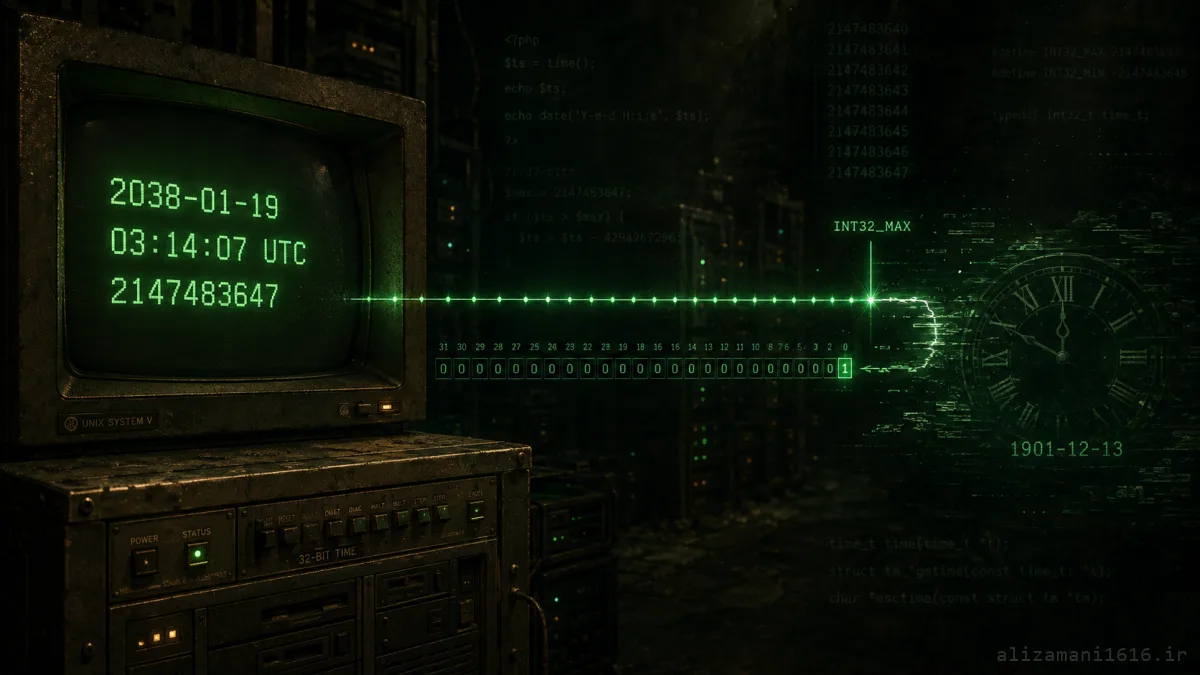
2038-01-19 03:14:07 UTC → 2147483647
2040-01-01 00:00:00 UTC → 2208988800
In PHP,
time() returns this second count for the current moment; functions like strtotime() and getTimestamp() also produce Unix Timestamps. A timestamp carries no timezone — it's just a moment on the timeline; timezone enters when converting it to a local date.
All logical so far. The trouble starts when we try to fit this counter into a signed 32-bit integer.
# Why Is 2147483647 the Boundary?
A 32-bit integer has exactly 32 binary digits. In the common signed representation, part of the range is reserved for negatives:
INT32 SIGNED
−231 = −2147483648
|
231 − 1 = 2147483647
minimum | maximum
If that number counts seconds since 1970, the maximum positive value lands exactly on:
THE MOMENT
2147483647
=
2038-01-19 03:14:07 UTC
One second later the required value is
2147483648 — which no longer fits in int32 signed. In the classic overflow, the bits wrap around into the negative range:
Classic overflow
2147483647
2038-01-19 03:14:07
2038-01-19 03:14:07
1 second
−2147483648
1901-12-13 20:45:52
1901-12-13 20:45:52
A system that should move "one second forward" suddenly jumps back more than 136 years. Not every system behaves exactly this way: some return
false, some raise errors, some flag the date invalid. What they share: the new value isn't representable in 32 bits.
# Simulating the 32-bit Overflow with PHP
Run this on 64-bit PHP. We deliberately simulate a signed 32-bit integer's behavior — our actual PHP never overflows:
overflow_sim.php
date_default_timezone_set('UTC');
function asSignedInt32(int $value): int
{
$fullRange = 4294967296; // 2^32
$signPoint = 2147483648; // 2^31
$wrapped = $value % $fullRange;
return $wrapped >= $signPoint
? $wrapped - $fullRange
: $wrapped;
}
$lastValid = 2147483647;
$nextSecond = $lastValid + 1;
$wrappedValue = asSignedInt32($nextSecond);
echo gmdate('Y-m-d H:i:s', $lastValid), " UTC\n";
echo gmdate('Y-m-d H:i:s', $nextSecond), " UTC\n";
echo "32-bit value: {$wrappedValue}\n";
echo gmdate('Y-m-d H:i:s', $wrappedValue), " UTC\n";
2038-01-19 03:14:07 UTC
2038-01-19 03:14:08 UTC ← correct time (int64)
32-bit value: -2147483648
1901-12-13 20:45:52 UTC ← overflow result
2038-01-19 03:14:08 UTC ← correct time (int64)
32-bit value: -2147483648
1901-12-13 20:45:52 UTC ← overflow result
Line two shows the correct time — what a 64-bit integer holds easily. The next two lines show what happens when the same value is constrained to signed 32-bit form.
# Is the Year 2038 Problem Solved in PHP?
The precise answer: there is no magic PHP version that fixes this on every system. The size of PHP's
int depends on the platform and build. The PHP manual notes that on a 32-bit build the maximum is usually about two billion, while on a 64-bit build it is about 9.22 × 10^18. So even a modern PHP, if built and run as 32-bit, still hits the 2038 boundary for Unix Timestamps.
Still, if one version deserves mention, PHP 7.0 is the milestone. The release announcement listed "consistent 64-bit support" among PHP 7's features. As a result, PHP 7 and PHP 8 on a genuinely 64-bit build can hold post-2038 timestamps as
int. But that claim has two conditions:
Crossing the 2038 boundary
Suitable PHP version
A real 64-bit runtime
int passes the 2038 mark
A 64-bit OS alone isn't enough; the PHP binary or container may still be 32-bit. Conversely, some old PHP versions already had 64-bit ints on 64-bit platforms. That's why a version number alone isn't a definitive answer:
32
Old PHP on a 32-bit build
Exposed to the 2038 limit
?
Old PHP on some 64-bit platforms
May already have 64-bit timestamps; must be checked
OK
PHP 7.0+ on a 64-bit build
int is sufficient for post-2038 dates
32
PHP 7 or PHP 8 on a 32-bit build
The 32-bit int limit still applies
Short answer: PHP 7.0 made 64-bit support consistent, but real resolution depends on PHP actually running as 64-bit — and on every later layer of the system. Also, don't install PHP 7 just for this; that branch is old. Use a supported PHP version with a 64-bit build.
# How to Tell Whether the Server's PHP Is 32-bit or 64-bit
The most reliable check is inside PHP itself:
check_bits.php
echo 'PHP version: ', PHP_VERSION, PHP_EOL;
echo 'Integer size: ', PHP_INT_SIZE, ' bytes', PHP_EOL;
echo 'Integer bits: ', PHP_INT_SIZE * 8, PHP_EOL;
echo 'PHP_INT_MAX: ', PHP_INT_MAX, PHP_EOL;
if (PHP_INT_SIZE >= 8 && PHP_INT_MAX > 2147483647) {
echo "Unix Timestamp as int can pass the 2038 boundary.\n";
} else {
echo "Warning: 32-bit integer range detected.\n";
}
# 64-bit PHP:
Integer size: 8 bytes → bits: 64 → PHP_INT_MAX: 9223372036854775807
# 32-bit PHP:
Integer size: 4 bytes → bits: 32 → PHP_INT_MAX: 2147483647
Integer size: 8 bytes → bits: 64 → PHP_INT_MAX: 9223372036854775807
# 32-bit PHP:
Integer size: 4 bytes → bits: 32 → PHP_INT_MAX: 2147483647
The main indicator is
PHP_INT_SIZE: 8 means 64-bit integers; 4 means you're on a 32-bit build.
Run this check in the exact environment where the app actually runs: same container, same PHP-FPM, same queue workers, same cron servers. CLI PHP isn't necessarily identical to web-server PHP.
# A Real Experiment with Boundary Dates
This code checks three important moments:
boundary_test.php
$dates = [
'2038-01-19 03:14:07 UTC',
'2038-01-19 03:14:08 UTC',
'2040-01-01 00:00:00 UTC',
];
foreach ($dates as $input) {
$date = new DateTimeImmutable($input);
echo $date->format('Y-m-d H:i:s T'), PHP_EOL;
echo 'format("U"): ', $date->format('U'), PHP_EOL;
try {
echo 'getTimestamp(): ', $date->getTimestamp(), PHP_EOL;
} catch (Throwable $error) {
echo get_class($error), ': ', $error->getMessage(), PHP_EOL;
}
echo "---\n";
}
On 64-bit PHP the essential output is:
output — 64-bit
2038-01-19 03:14:07 UTC → format("U"): 2147483647 | getTimestamp(): 2147483647
2038-01-19 03:14:08 UTC → format("U"): 2147483648 | getTimestamp(): 2147483648
2040-01-01 00:00:00 UTC → format("U"): 2208988800 | getTimestamp(): 2208988800
There's an important difference between
format('U') and getTimestamp(). The latter must return an int; if the value doesn't fit the platform's int, it fails:
<8
Before PHP 8.0
getTimestamp() returns false for out-of-range values
8.0
PHP 8.0 through 8.2
Raises a ValueError
8.3
PHP 8.3 and newer
Raises the more specific DateRangeError
In contrast,
format('U') returns the timestamp as a string — the manual itself recommends it when the timestamp doesn't fit an int. Useful for reading or transferring the value, but it doesn't make all arithmetic safe: cast "2208988800" back to int on 32-bit PHP and the same limit returns.
# Does Using DateTimeImmutable Alone Solve It?
DateTimeImmutable is a better choice than manual timestamp arithmetic. It handles timezones, leap years, varying month lengths, and DST transitions properly — the PHP manual recommends it over strtotime() math for date calculations.
Poor design
Second-counting — not exactly 15 calendar years, and on 32-bit systems it can overflow before 2038.
$expiresAt = time() + (15 * 365 * 24 * 60 * 60);
Better design
Calendar arithmetic with DateInterval.
$expiresAt = $now->add(new DateInterval('P15Y'));
But even in this design, if we later call
getTimestamp() on 32-bit PHP or pour the date into a 32-bit database column, the problem returns. DateTimeImmutable improves calendar math; it doesn't remove data-type limits in other layers.
# Even If PHP Is Safe, MySQL Can Still Block You
Suppose our PHP is 64-bit and produces
2208988800 without trouble. Now we have this MySQL table:
schema_bad.sql
CREATE TABLE subscriptions_bad (
id BIGINT UNSIGNED AUTO_INCREMENT PRIMARY KEY,
expires_at TIMESTAMP NOT NULL
);
Even in MySQL 8.4, the
TIMESTAMP type only supports this range:
TIMESTAMP range
1970-01-01 00:00:01 UTC
to
2038-01-19 03:14:07 UTC
In strict mode, a 2040 date is rejected as out of range. Upgrading PHP alone isn't enough. For future calendar dates, use
DATETIME:
schema_good.sql
CREATE TABLE subscriptions (
id BIGINT UNSIGNED AUTO_INCREMENT PRIMARY KEY,
expires_at_utc DATETIME(6) NOT NULL
);
MySQL's
DATETIME range spans years 1000–9999. Unlike TIMESTAMP, DATETIME is not automatically converted to and from the session timezone — that's why the column is named expires_at_utc, and the app must explicitly convert values to UTC before storing:
insert.php
$expiresAt = new DateTimeImmutable(
'2040-01-01 00:00:00',
new DateTimeZone('UTC')
);
$statement = $pdo->prepare(
'INSERT INTO subscriptions (expires_at_utc) VALUES (:expires_at)'
);
$statement->execute([
'expires_at' => $expiresAt->format('Y-m-d H:i:s.u'),
]);
Here PHP converts the date to a standard string and MySQL stores it in
DATETIME(6) — no 32-bit int anywhere in the path.
# If We Want a Numeric Timestamp, What Column Type Should It Be?
Sometimes an API or system design demands a Unix Timestamp. This schema is problematic:
INT SIGNED ✕
Maximum is 2147483647; this column also stops at 2038.
run_at_epoch INT SIGNED NOT NULL
BIGINT SIGNED ✓
Range of roughly 292 billion years; the 2038 boundary is effectively gone.
run_at_epoch BIGINT SIGNED NOT NULL
If the app might run on 32-bit PHP, pass the value produced by
format('U') to PDO as a numeric string so PHP never has to coerce it into its own int:
insert_epoch.php
$runAt = new DateTimeImmutable('2040-01-01 00:00:00', new DateTimeZone('UTC'));
$epochAsString = $runAt->format('U'); // "2208988800"
$statement = $pdo->prepare('INSERT INTO jobs (run_at_epoch) VALUES (:run_at)');
$statement->bindValue(':run_at', $epochAsString, PDO::PARAM_STR);
$statement->execute();
MySQL converts the numeric string into the
BIGINT column without PHP squeezing the value through a 32-bit int. The input must come from a trusted source or be validated as numeric before sending.
INT UNSIGNED merely moves the boundary from 2038 to 2106-02-07; it isn't a permanent fix and loses pre-1970 times. If you truly need a numeric epoch, BIGINT is the clearer choice.
# A Chain Is Only as Strong as Its Weakest Link
Every PHP experiment might pass, yet the time value gets truncated at a later stage:
The time data path
PHP 64-bit
PDO Driver
Database Column
Queue / Cache
JSON API
Client Application
For example, PHP produces
2208988800 correctly, but an old queue worker reads it into an int32; or the database stores it in INT SIGNED; or a destination device uses a 32-bit time_t in its firmware:
PHP
PHP Runtime
32-bit builds and the PHP_INT_MAX limit
OS
OS and C library
Legacy environments using 32-bit time representations
SQL
MySQL
TIMESTAMP columns or INT SIGNED
Q/C
Cache and Queue
Legacy serializers or consumers with int32
API
API
Timestamp fields defined as 32-bit integers
FW
Devices and Firmware
Routers, industrial controllers, long-lived legacy equipment
For comparison, PostgreSQL's
timestamp type is 8 bytes with a range far beyond 2038. The lesson: a type's name isn't enough; you must check that type's exact definition in the product you use.
# Which Systems Are Really at Risk — and Why Wait?
The highest risk belongs to systems that are both long-lived and hard to upgrade:
01
Legacy servers or containers running 32-bit PHP
02
Embedded devices and 32-bit firmware
03
Industrial controllers, network equipment, older automotive systems
04
Accounting, insurance, subscription or booking software with long-horizon dates
05
Databases storing timestamps in INT SIGNED or similar
06
APIs and message schemas defining time fields as int32
Programs don't only work with "the current time". Today, these can already cross the boundary: the end date of a 15- or 20-year contract, a long-term license validity, birthdays and retirement planning, bookings, loans, insurance, equipment maintenance schedules, and tests that simulate future dates. Build a 15-year credential in 2026 and it expires in 2041. So Year 2038 can enter program logic long before the real clock reaches that day.
# A Simple Boundary Test for Your PHP Project
assert_2038.php
function assertPhpSupportsPost2038Int(): void
{
if (PHP_INT_SIZE < 8) {
throw new RuntimeException('This PHP build uses 32-bit integers.');
}
$date = new DateTimeImmutable('2038-01-19 03:14:08', new DateTimeZone('UTC'));
if ($date->getTimestamp() !== 2147483648) {
throw new RuntimeException('Post-2038 timestamp test failed.');
}
}
assertPhpSupportsPost2038Int();
echo "PHP runtime test passed.\n";
That's only a runtime test. A full test must store the value in the database, read it back, push it through a queue, send it to an API, and compare it in the final consumer. The 2038 problem is an End-to-End issue, not a unit test of
time(). Suggested boundary dates:
test_dates.txt
1901-12-13 20:45:52 UTC # int32 minimum
1969-12-31 23:59:59 UTC # one second before epoch
1970-01-01 00:00:00 UTC # the epoch itself
2038-01-19 03:14:07 UTC # last int32 moment
2038-01-19 03:14:08 UTC # first moment past the boundary
2040-01-01 00:00:00 UTC # this article's example
2106-02-07 06:28:15 UTC # INT UNSIGNED ceiling
Not every project needs all of these dates — but the supported range should be defined and tested deliberately.
# Common Mistakes When Fixing the Problem
Only upgrading PHP: if the MySQL column remains
TIMESTAMP or INT SIGNED, the 2040 date still won't store.
Assuming a 64-bit OS means 64-bit PHP: check the running architecture with
PHP_INT_SIZE. CLI, web server, and queue workers may run different binaries.
Putting timestamps in floats:
float is a poor home for exact time identifiers. Floating-point precision degrades as numbers grow; comparisons and sorting can behave surprisingly.
Switching to INT UNSIGNED and calling it done: that only buys time until 2106 and doesn't guarantee compatibility with other components.
Stringifying everything without a contract: strings can be a fine transfer format, but the format, UTC-ness, second vs microsecond precision, and validation must be defined. An ambiguous string like
01/02/40 is not a solution; use ISO 8601 or a defined database format.
Migrating TIMESTAMP to DATETIME without checking timezones: MySQL converts
TIMESTAMP values by timezone, but DATETIME doesn't. A blind migration can shift every record's time. Review the connection timezone, the meaning of existing data, and the UTC contract before migrating.
# A Practical Path to Hardening a Project
1
Check PHP_INT_SIZE on every runtime
2
Find TIMESTAMP/INT columns and epoch fields
3
Test post-2038 dates End-to-End
4
Calendar math with DateTimeImmutable + UTC contract
5
Numeric epoch → BIGINT | calendar dates → DATETIME(6)
For new projects, a defensible pattern: calendar math with
DateTimeImmutable, explicit UTC conversion at the storage boundary, DATETIME(6) for future calendar dates in MySQL, BIGINT only when a numeric epoch is truly needed, a supported PHP on a 64-bit build, and round-trip tests for 2038, 2040, and your business domain's far-end dates.
# 2038 Isn't a Future Problem; It's Today's Data-Type Problem
Year 2038 looks like a story about a day in the future, but its root is a very old, very simple decision: storing seconds in a signed 32-bit integer. Until the value passes
2147483647, everything looks normal. One second later, the system has no room to represent the new value.
PHP on a 64-bit build crosses this boundary, and PHP 7.0 made 64-bit support more consistent — but the review doesn't end there. A database, queue, API, or firmware may still hold time in four bytes. So the right question isn't "is my PHP new?" but "can the entire data path carry a post-2038 date unchanged?"
The most important takeaway: time isn't just a date on a screen; it's a numeric contract that must have one meaning and one range across every component of the system.
takeaway.txt
The clock doesn't break a day;
a number smaller than reality breaks the whole system.
a number smaller than reality breaks the whole system.